3D Print Price Calculator: Free Instant Cost & Rate Estimator Tool
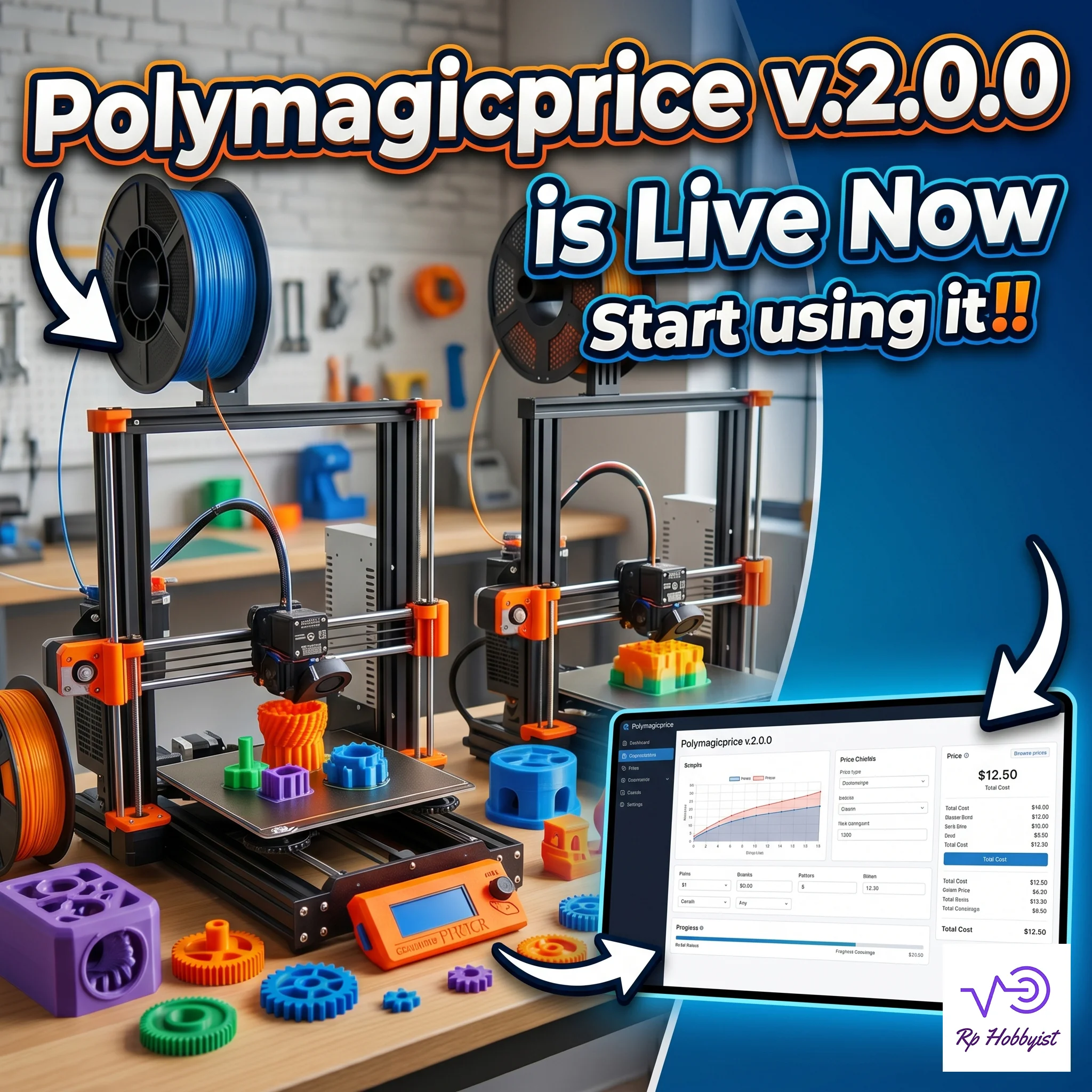
Looking for an instant calculator tool? Use our free PolymagicPrice 3D Printing Cost Calculator to estimate filament, labor, and machine costs in seconds.
How much should you charge for 3D prints? To accurately price a 3D print, you must calculate the total sum of your material cost, electricity consumption, machine wear (depreciation), labor time, and business overhead, then add your profit markup. The formula is:
Total Price = (Material + Electricity + Machine Time + Labor + Overhead) * Markup%.
Guessing these values leads to lost profits. A dedicated 3D printing calculator like PolymagicPrice automates this entirely using your G-code files.
The Maker's Dilemma: Growth vs. Profitability
As a creator who scaled from a single desktop printer to a full manufacturing print farm, I spent years losing money simply because I was guessing my prices. Spreadsheets break, mental math fails, and suddenly you're printing for free. You might have the best quality prints in the world, but if your quoting system is a chaotic mess of sticky notes and Excel cells, your business won't survive.
That's why I built PolymagicPrice v2.0.0 - the ultimate local-first 3D printing price calculator and print farm management command center. To explain exactly how it solves the pricing nightmare, let's break it down in a discussion between a frustrated Print Farm Owner and the PolymagicPrice system itself.
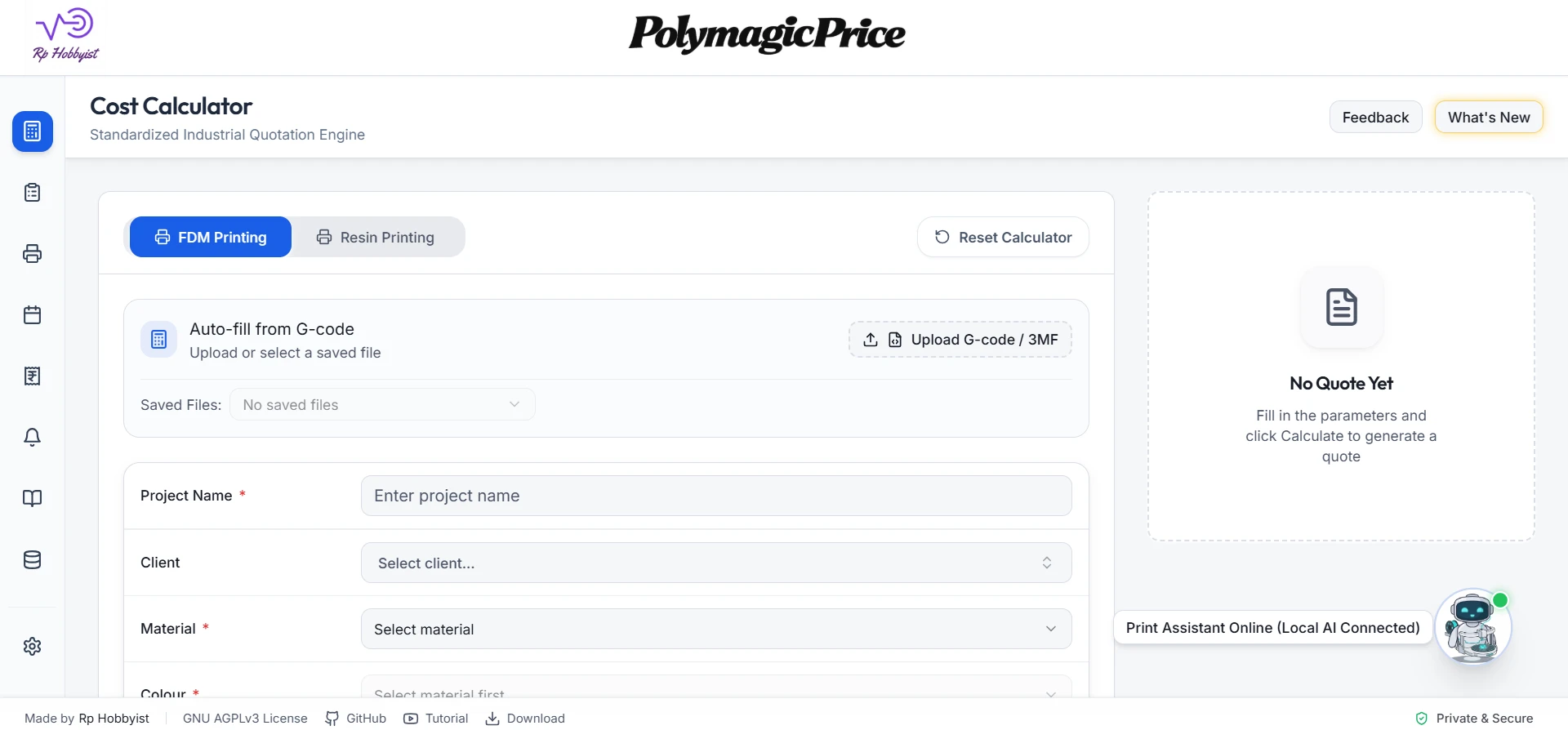
Quick Print Price Calculator
The Pricing Discussion: Stop Guessing, Start Scaling
Alex (3D Print Farm Owner): "Okay, I need help. I started with one Ender 3, and now I have twelve machines running around the clock. But honestly? I have no idea if I’m actually making a profit. I’m using a massive Excel spreadsheet to guess my filament costs and electricity, but by the time I calculate a quote, I feel like I've wasted an hour. Is there a better way?"
PolymagicPrice (The System): "That’s exactly why I was built. Spreadsheets break, mental math fails, and suddenly you're printing for free. I am a professional-grade, local-first 3D printing pricing calculator and management system. Instead of typing complex formulas, you just drag and drop your .gcode or .3mf file right into me."
Alex: "Wait, drag and drop? What does that actually do?"
PolymagicPrice: "I automatically read the file. I extract the exact print time, the filament weight, the material type, and even pull the 3D thumbnail preview. Because I have a Dual Quoting Engine, I can do this for both FDM filament and liquid SLA Resin. I instantly calculate material cost, machine depreciation, labor, and electricity down to the exact cent."
Total Price = Subtotal + (Subtotal × Markup / 100)
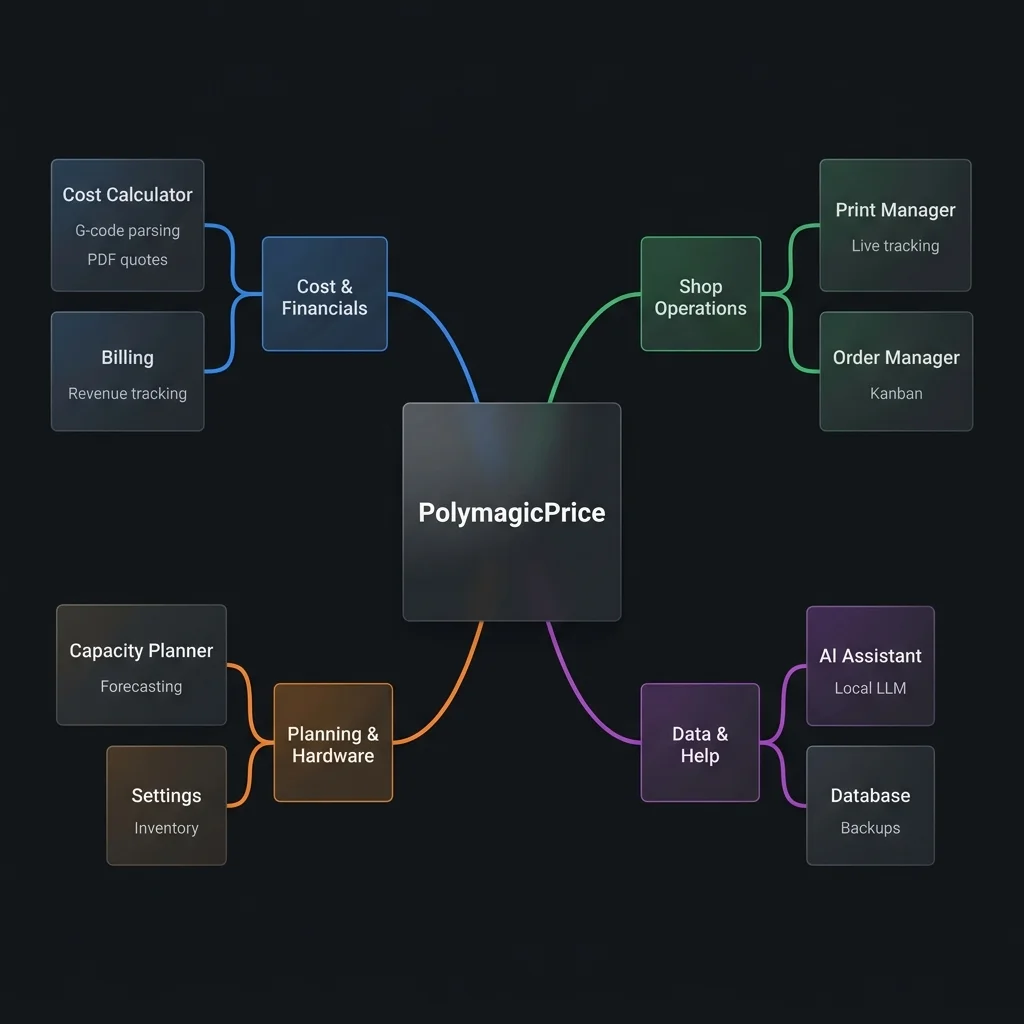
Navigation Guide: The 4 Operational Workflows
As visualized in the mindmap diagram above, PolymagicPrice orchestrates your entire 3D printing enterprise through four tightly coupled, local-first operational workflows:
- Cost & Financials Workflow: Drag and drop raw G-code or .3mf files into the Cost Calculator for instant parsing, layer height analysis, and PDF quotation generation. Track your long-term gross margins and trailing revenue logs inside the Billing Repository.
- Shop Operations Workflow: Monitor hot nozzle telemetry and live physical print progress inside the Print Manager, then manage physical parts and spool allocations across the 9-stage Order Manager Kanban board.
- Planning & Hardware Workflow: Solve scheduling bottlenecks, check machine print-volume constraints, and queue builds inside the Capacity Planner, while managing filament materials, machines, and unencrypted local bridges inside the Settings Panel.
- Data & Help Workflow: Query financial histories, materials inventories, and software troubleshooting guidelines in natural language using the offline, private AI Assistant (via Ollama), while keeping your databases secure via manual or automated local SQLite Backups.
PolymagicPrice Core Engine: The 6 Pillars of 3D Print Shop Success
To run a highly profitable print farm, you cannot rely on loose "material x 3" heuristics. PolymagicPrice provides an enterprise-grade, local-first operating system designed to optimize every facet of your 3D printing business. Here is a technical breakdown of the six core pillars that power the platform:
1. AI Assistant & Local Chat Bot (Ollama Integration)

The local AI assistant mindmap (pictured above) illustrates the offline dialog orchestration tree. The system dynamically pulls workshop ground truth (materials, machine runtimes, and active orders) into contextManager.ts, wraps the input with safety guardrails (preventing prompt injection and unauthorized system commands), and bridges the REST request locally to Ollama for offline reasoning with full data privacy.
The AI Assistant is a local-first, fully offline AI agent powered by Ollama. It operates entirely on your host machine to ensure complete data sovereignty and privacy - no telemetry or prompt payloads ever leave your local workshop environment.
- REST Bridge & Timeout Management: The assistant utilizes a robust REST bridge (
OllamaClient.ts) to connect to local ports, managing request states with a strict 90-second timeout to avoid system freezes. - Dynamic Shop Context: Through the
contextManager.tsservice, the AI computes real-time ground truth metrics, including active order backlogs, financial performance, spool consumption, and machine wear alerts. - Human-in-the-Loop (HIL) Guardrails: To maintain system safety, any AI action that attempts to modify your constants or add items generates a secure approval card. The user must manually approve or reject the action before it executes.
- Input/Output Filters: Pre-execution filters block prompt injection attempts, while output scanners redact personally identifiable information (PII) like phone numbers and credit card patterns in real time.
2. Billing Repository & Advanced Margin Analysis
The billing and analysis module acts as a fully featured financial ledger, turning raw estimates into actual balance sheets with closed-loop cost reconciliations.
- Actual-to-Estimate Reconciliation: If real-world printing takes longer than estimated (exceeding a 5% threshold), the system automatically adjusts time-dependent costs (labor, machine depreciation, and electricity draw) on your balance sheets:
Ratio = Actual Print Time / Estimated Print Time
Adjusted Cost = Estimated Cost × Ratio
- Precision Margin Tracking: Automatically excludes canceled orders from revenue metrics to keep balance sheets clean, while computing the 30-day trailing revenue growth rate and the repeat customer rate to monitor business health.
3. Fleet Capacity Planner & Production Scheduler
The Capacity Planner provides industrial-grade forecasting and scheduling to balance workloads across your print farm and optimize machine utilization.
- Parallel Round-Robin Scheduling: When you schedule a high-volume batch order, the system distributes the workload evenly among compatible active printers. It automatically identifies the bottleneck machine (the printer carrying the longest print queue) to forecast the true batch completion date.
- Efficiency and Weekend Safeguards: Workloads are adjusted based on your historical machine failure rates, and the timeline can be configured to automatically skip weekends for accurate customer delivery projections.
- Compatibility Auditing: The planner cross-references your 3D model dimensions against each printer's physical build volume, instantly excluding incompatible machines while warning you of any upcoming material shortages.
4. Real-Time Proactive Alert & Notification System
Keep your workshop operating at peak performance with real-time, proactive notifications that safeguard your machines and delivery schedules.
- Machine Maintenance Meters: Monitored runtimes track print hours against service intervals, raising alerts when a printer is due for fan replacements, rail greasing, or nozzle swaps.
- Inventory Allocation Audits: Warns you immediately if current spool levels are insufficient to complete queued print jobs or if material reserves drop below safety thresholds.
- Pricing Drift Protection: Raises warnings if a historic quote's locked labor rate deviates by more than 15% from your current active constants.
5. Closed-Loop Production & Order Lifecycle Manager
A comprehensive 9-stage Kanban workflow that manages print jobs from quote approval to final delivery.
- Lifecycles: Smoothly transitions orders through
PENDING,APPROVED,PRINTING,POST_PROCESSING,DONE,DISPATCHED,DELIVERED,FAILED, andCANCELLED. - Spool Auto-Deduction: Starting a print automatically reserves and deducts material from the active spool database. If a print is aborted or fails, the system logs the scrap material and updates the spool balances.
- Maintenance Interlocks: Blocks active prints on overdue machines, forcing operators to perform maintenance before starting high-priority production jobs.
6. Settings Architecture & Tab Synchronization
The settings module provides a unified hub for workshop administration, utilizing real-time cross-component custom events to keep your data synchronized across multiple browser tabs.
- Unified 10-Tab Governance: Seamlessly configure materials, machines, consumables (labor and electricity rates), saved projects, customers (CRM), active currency symbols, employees, company info, local AI, and unencrypted local bridges.
- Cross-Tab Sync: Custom events (such as
session_machines_updated) trigger silent background refreshes across open tabs, preventing stale data and guaranteeing workshop-wide consistency.
🚀 Stop doing math in spreadsheets. Let PolymagicPrice automate G-code parsing & order scheduling.
Download PolymagicPrice (GNU GPLv3)Deep Dive: The 3D Printing Podcast
If you want to hear more about the journey of building this ecosystem and the hard lessons learned about scaling a 3D printing business, check out the recent podcast episode where we dive deep into print farm economics and local-first software. Click the player below to watch the full discussion:
Privacy, Open Source & Licensing
Just like our early versions, PolymagicPrice v2.0.0 is committed to open development and user privacy.
- Local-Only Processing: Your customer names, pricing tiers, and proprietary G-code files are processed directly on your machine. We use indexedDB for local storage, meaning no data is ever uploaded to a server.
- AGPLv3 License: Built using React and Vite, the codebase is fully open-source under the GNU Affero General Public License v3. It belongs to the maker community.
Get Started with PolymagicPrice v2.0.0
Accurately calculate your 3D printing costs and manage your farm locally or securely in the cloud.
Frequently Asked Questions
How much should I charge for a 3D print?
You should charge the sum of your material cost, electricity, machine depreciation, labor time, and a proportional share of business overhead, plus a profit margin (typically 50% to 200%). Using an automated 3D printing calculator like PolymagicPrice helps calculate this accurately down to the penny.
What is the formula for pricing 3D prints?
The professional pricing formula is: Total Price = (Material + Electricity + Machine Depreciation + Labor + Overhead) * (1 + Markup%).
Is my data safe with PolymagicPrice?
Yes! PolymagicPrice is 100% local-first. All G-code parsing, quoting database records, and customer details are stored entirely on your device using IndexedDB, guaranteeing total privacy.
Can I use PolymagicPrice for resin (SLA) printing or is it only for FDM?
PolymagicPrice is designed primarily for FDM printing since it parses G-code, but you can manually input resin volume and curing times to calculate SLA print costs and profit margins just as accurately.
How do I calculate electricity cost for 3D printing?
Multiply your printer's average power draw in kilowatts (typically 0.1 to 0.3 kW) by the print duration in hours, then multiply by your local electricity rate per kilowatt-hour (kWh).