Manage Your Chaos: Why Your Workshop Needs More Than Simple PDM
In the early days of my workshop, I thought I had everything under control. I had my Fusion 360 files versioned, my STL exports organized by date, and a 'digital vault' that felt bulletproof. But then I started the 5050 CNC Machine Upgrade, and reality hit me like a broken end-mill.
It usually happens right before you're ready to assemble. You have your CAD files locked down. Your 3D prints are finished. But when you go to put it together, you realize the bolts you ordered don't match the new aluminum extrusions. Or worse, you spend three hours troubleshooting a 'bug' only to realize you're looking at a Rev 1 schematic while holding a Rev 2 board.
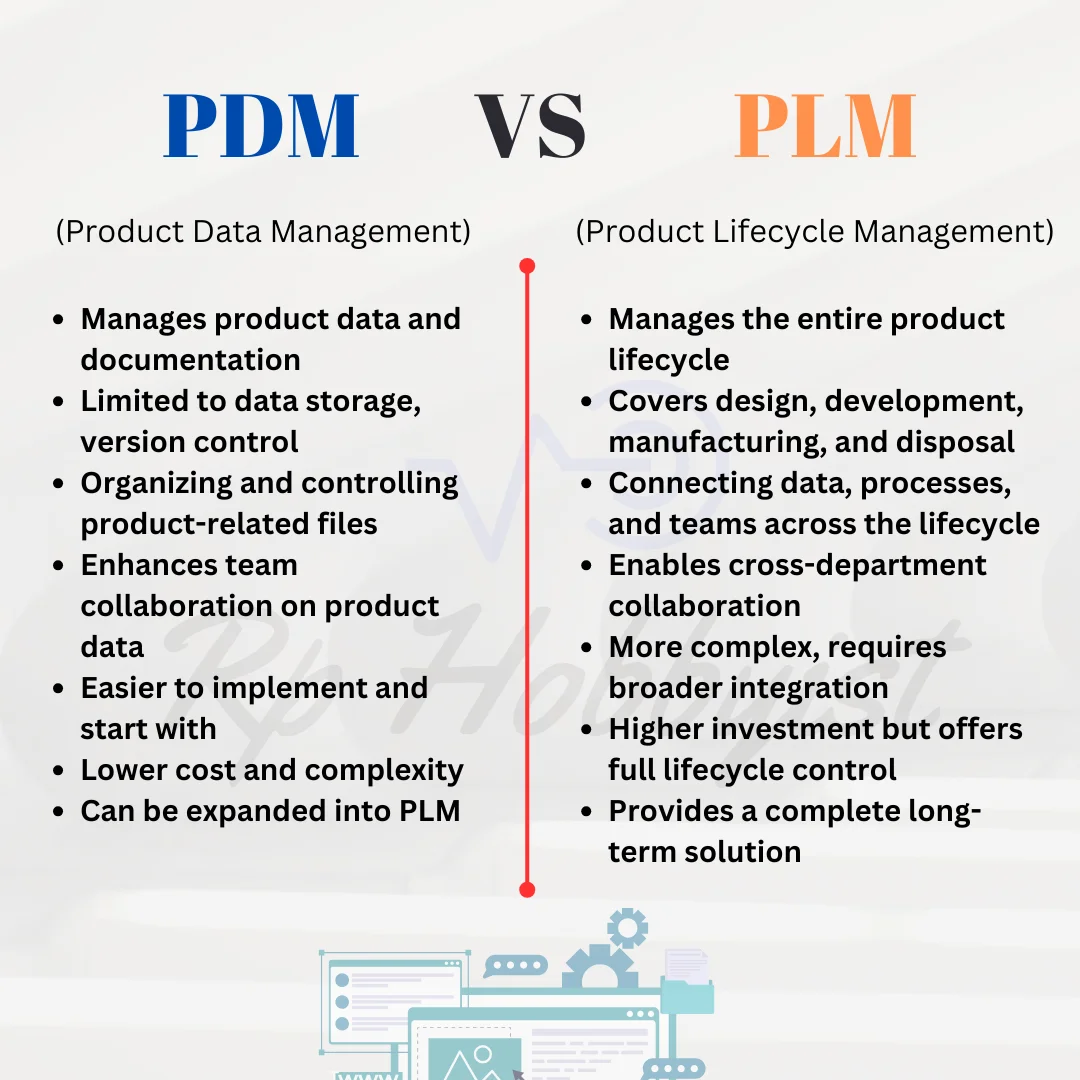
Suddenly, you realize that while you have perfect control over your files, you've lost control of your product. This is where I had to learn the hard difference between PDM (managing data) and PLM (managing the life of the machine).
The PDM Reality: The Digital Vault
For a maker, PDM is the basics. It's the 'digital vault'. When I was redesigning the Z-axis for the CNC, I needed to make sure that when I modified the motor bracket, the lead screw alignment didn't get messed up. PDM solves the "Designer's Problem":
- Who saved over the Final_v3_REAL.step? (We've all been there).
- Check-in/Check-out: Preventing the 'Save As' nightmare where you have five versions of the same part.
- IP Protection: Keeping your original source files safe from accidental deletion.
When you're building a one-off toy, PDM is enough. But once you start building 'Industrial' gear, files just aren't the whole story.
The Maker Reality Check: Files don't have lead times
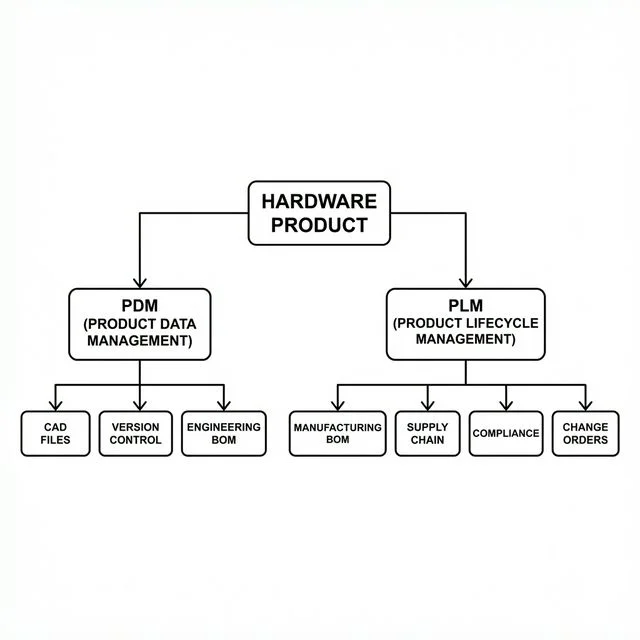
The limitation of PDM is that it treats the CAD file as the final source of truth. But in a real build, the Bill of Materials (BOM) is the real boss. A CAD file doesn't know that the specific linear rods you need have a 4-week lead time. A PCB layout doesn't know that your local electronics shop just ran out of the specific motor drivers you designed for.
This is where my 'solo workflow' started to break down during the CNC build:
- The Sourcing Disconnect: I had the design, but not the logistics. If you're manually copy-pasting part numbers into spreadsheets, you're creating a 'data gap' where errors thrive.
- The Change Management Nightmare: Changing a hole diameter in CAD is a click. Changing it on a physical aluminum frame you've already drilled is a disaster. PLM forces you to think about the impact of the change before you make it.
- Scaling to a Team: Even as a 'Solo Maker', I have 'partners' - machine shops, PCB fab houses, and suppliers. PDM is for me; PLM is for the whole world that helps me build.
Conclusion: Let your workflow evolve
The shift from PDM to PLM isn't about buying expensive software; it's a mindset shift. It's about realizing that the product is more than just the digital model. It's the material, the suppliers, the assembly steps, and even the 'future-you' who has to repair it six months from now.
If you're still just managing files, you're only seeing half the picture. Start managing the product, and you'll find that your builds become more professional, more predictable, and a lot less stressful.
Frequently Asked Questions
What is the difference between PDM and PLM?
Product Data Management (PDM) strictly tracks CAD files and their versions. Product Lifecycle Management (PLM) tracks the entire business ecosystem: supplier leads, manufacturer BOMs, cost tracking, and assembly instructions.
Why do hardware teams need to transition beyond simple file folders?
When you start dealing with injection molding suppliers, electrical schematics, and mechanical assemblies simultaneously, a simple file folder cannot track component lead times, hardware dependencies, or cross-functional change orders.
What is an mBOM versus an eBOM?
An eBOM (Engineering BOM) lists only what the CAD designer modeled. The mBOM (Manufacturing BOM) includes *everything* needed to ship the product: packaging, glue, manuals, and specific alternate supplier parts.
When should a growing workshop upgrade from PDM to a full PLM system?
Upgrade to PLM when you have multiple engineers collaborating, manage complex supply chains, or need to handle automated engineering change orders (ECOs), regulatory compliance, and post-market product lifecycles.
How does BOM versioning prevent manufacturing errors?
BOM versioning ensures that the factory always builds the active, approved design. Without strict versioning, outdated CAD files or older component specifications can lead to thousands of dollars in wasted materials.