Avoid Battery Failures: How MATLAB Simulation Saved My Lithium-Ion BMS
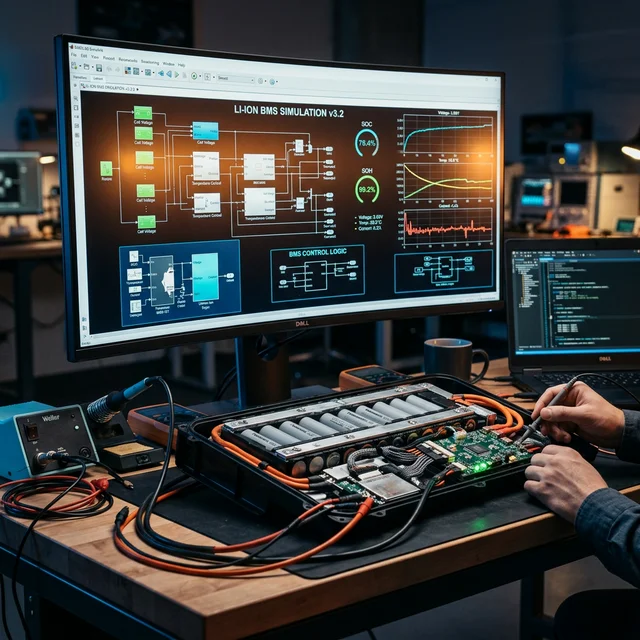
I still remember the distinct, acrid smell of burning silicon. It was 2 AM on a Tuesday, and my third prototype for a custom Lithium-Ion Battery Management System (BMS) had just released the magic smoke. In hardware development, there is a hard truth you learn quickly: moving straight from a napkin sketch to a soldered board is a recipe for disaster, especially when you are dealing with the volatile chemistry of lithium cells.
That night, staring at a charred MOSFET, I realized that relying solely on physical prototyping was too expensive, too dangerous, and far too slow. I needed a digital sandbox. I needed a way to foresee the failure before I ever picked up a soldering iron. That is when I turned to MATLAB and Simulink, and it completely transformed the way I engineer products.
Building the Digital Twin: The Lithium Cell
Instead of risking another physical pack, I started by building a virtual one. In Simulink, I modeled the exact electrical equivalent circuit of a 18650 lithium-ion cell. I wasn't just drawing schematics; I was defining the physics. I inputted the cell's internal resistance, its capacity curves, and its specific thermal dynamics.
Suddenly, I had a Digital Twin. I could subject this virtual battery to massive current spikes, deep discharges, and extreme temperature swings without wearing safety goggles or risking a fire on my workbench. I watched in real-time as the simulation showed exactly how the voltage sagged under load and how the internal temperature crept up.
The Brains of the Operation: Simulating the BMS
With the battery modeled, it was time to build the BMS logic. The primary job of a BMS is to monitor the state of the battery and protect it. In MATLAB, I created control algorithms to track the State of Charge (SoC) and State of Health (SoH).
But the real magic happened when I connected my virtual BMS to the virtual battery. I could inject faults, such as a sudden short circuit or an unexpected temperature spike, and watch how my control logic reacted. Did it trip the protection circuit fast enough? Did the balancing algorithm actually equalize the cells efficiently? Catching a flaw in this software phase costs nothing but time. Finding it in a manufactured product is catastrophic.
Bridging the Digital and Physical: Analog to Digital Processing
Simulation is perfect, but the real world is messy. A BMS relies on sensors to read temperature, voltage, and current. But sensor data doesn't arrive clean; it's an analog signal, full of electrical noise and EMI interference from motors or power supplies.
This is where MATLAB’s signal processing capabilities became my secret weapon. Before feeding the sensor data into my core BMS logic, I had to pass it through an Analog-to-Digital Converter (ADC). Using MATLAB, I gathered raw, noisy data from physical thermistors and shunt resistors on my bench and fed it into the software.
I used MATLAB’s filter design tools to create digital low-pass and Kalman filters. I could visually see the noisy, jagged analog sine wave enter the digital filter and emerge as a clean, reliable data stream. I tweaked the filter coefficients in the simulation until the signal was perfect, and then automatically generated the C code to flash directly onto my microcontroller. No trial-and-error coding required.
The Edge of the Future: AI Integration
As my project evolved, I realized we are no longer just coding static logic, we are training systems to perceive and adapt.
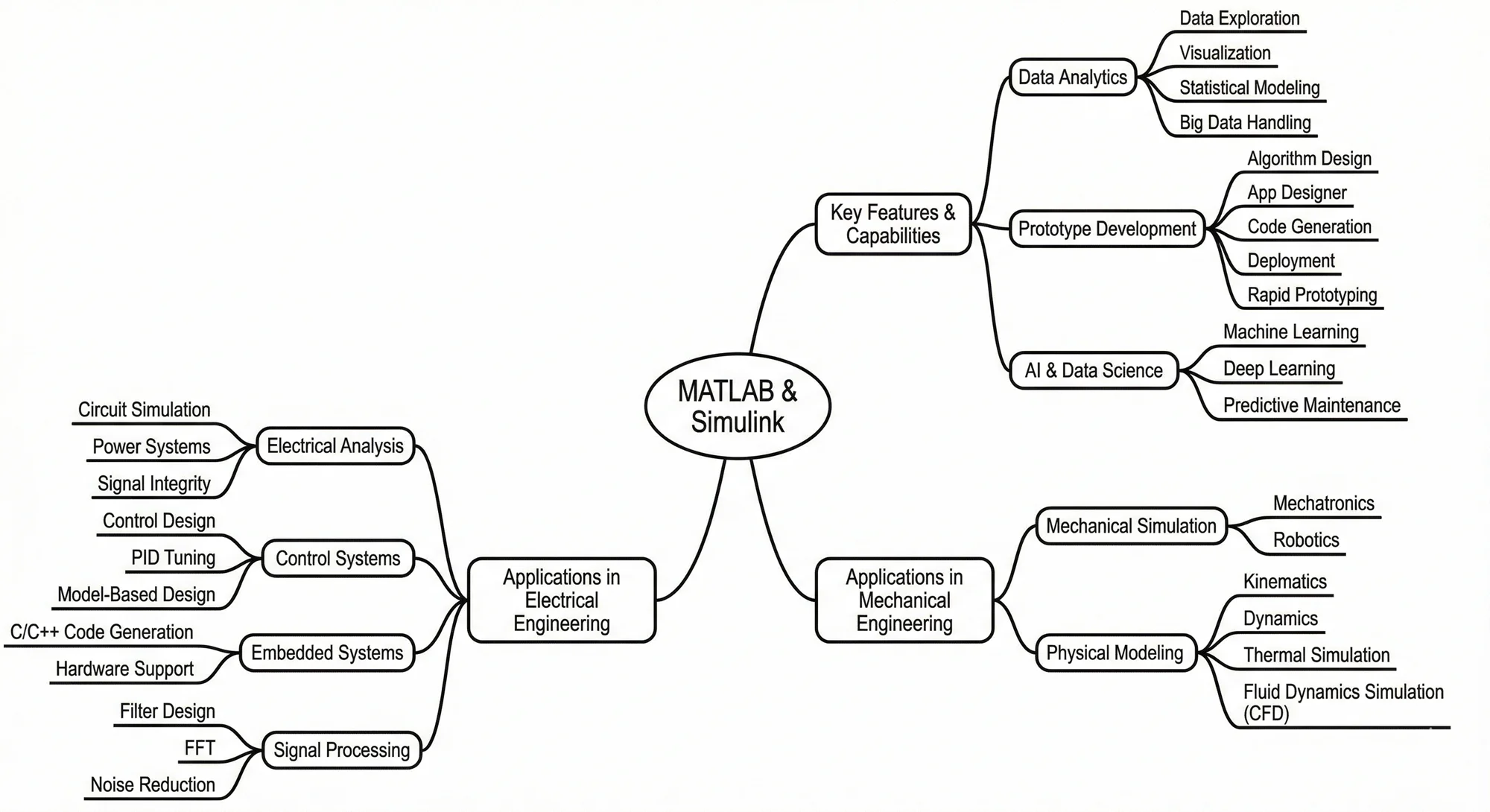
Using MATLAB's machine learning toolboxes, I took the historical data from my BMS simulations and real-world charge cycles. I trained a neural network to understand the subtle degradation patterns of the lithium cells over time. Instead of relying on a simple voltage lookup table, my BMS could now predict the remaining useful lifespan of the battery pack based on its historical load profile. This shift from reactive protection to predictive maintenance is the hallmark of next-generation hardware.
The Great Debate: Practical Testing vs. Digital Simulation
In the world of product development, you often face a crossroads: do you build it and test it physically, or do you model it and test it virtually? Both paths have their merits, and the right choice depends on your specific goals.
Practical Testing is often simpler and more intuitive for basic prototypes. There’s no substitute for holding a physical object in your hand and seeing how it behaves in the real world. For low-risk, mechanically simple projects, a "build and break" approach can actually be faster than spending hours setting up a complex simulation. It gives you immediate, tactile feedback that software sometimes struggles to replicate.
However, as complexity grows, so do the stakes. Simulation Testing becomes the clear winner when you’re dealing with expensive components, dangerous energy levels (like high-voltage lithium packs), or intricate control logic. Software simulation allows you to:
- Save Money: You can "destroy" a thousand virtual prototypes without spending a dime on replacement parts.
- Save Time: Running parallel simulations can test a month's worth of wear and tear in just a few minutes.
- Ensure Safety: You can push a system to its absolute breaking point without any risk of fire, explosion, or injury in your workshop.
Ultimately, the decision comes down to risk and scale. If the cost of failure is low, go practical. If the prototype is complex or the materials are volatile, take the time to simulate. Deciding which factor - speed, cost, or safety - is most important for your specific project is the first step in making the right engineering call.
The Verdict: Simulation is Cheap, Lithium is Volatile
Looking back at that burnt MOSFET, I realize it was a necessary lesson. Integrating MATLAB into my product development workflow didn't just prevent future fires; it accelerated my entire process. By mastering the simulation of the lithium cell, defining the BMS behavior, and conquering the noisy reality of analog-to-digital sensor processing, I moved from a hobbyist tinkering with circuits to a product developer engineering systems.
The next time you are about to order a prototype PCB, ask yourself: have you built the digital twin first? Your budget, and your workbench, will thank you.
Ready to Master Your Own Simulations?
Whether you're a professional engineer or a student starting your journey, MATLAB and Simulink provide the ultimate sandbox for innovation. Students can leverage industry-standard tools at highly discounted rates, gaining a competitive edge in product development and system design.
Frequently Asked Questions
Why simulate a BMS in MATLAB before building a hardware prototype?
MATLAB simulation allows engineers to safely stress-test balancing algorithms and thermal runaway triggers under varied load conditions without risking physical battery fires or destroying expensive cells.
What is actively balancing vs. passively balancing a lithium battery?
Passive balancing burns off excess charge from high-voltage cells as heat using resistors. Active balancing transfers charge from high-voltage cells into low-voltage cells, maximizing pack efficiency and reducing thermal strain.
Is Simulink necessary for basic battery management systems?
For simple hobby packs, standard ICs work fine. But for high-capacity EV or solar storage packs, Simulink is crucial for modeling complex dynamic loads and State of Charge (SoC) estimations accurately.
What is the main cause of lithium-ion battery failure?
The primary causes of lithium-ion battery failure are thermal runaway, overcharging, and deep discharging. Without a properly configured Battery Management System (BMS), cell imbalances can lead to catastrophic failure or severely degraded lifespan.
How does MATLAB Simulink help in battery design?
MATLAB Simulink allows engineers to build a digital twin of a battery pack and BMS. This means you can simulate extreme conditions, thermal loads, and charging cycles in software before physically building the hardware, preventing expensive and dangerous failures.
What is cell balancing in a BMS?
Cell balancing ensures that all individual cells within a battery pack remain at the same State of Charge (SoC). Active balancing transfers energy from stronger cells to weaker ones, while passive balancing dissipates excess energy as heat, both ensuring the pack operates safely and lasts longer.